
Daisy A Ripple Song
Daisy A Ripple Song is a classic WordPress theme with a built-in audio player, podcast widgets, and related features.
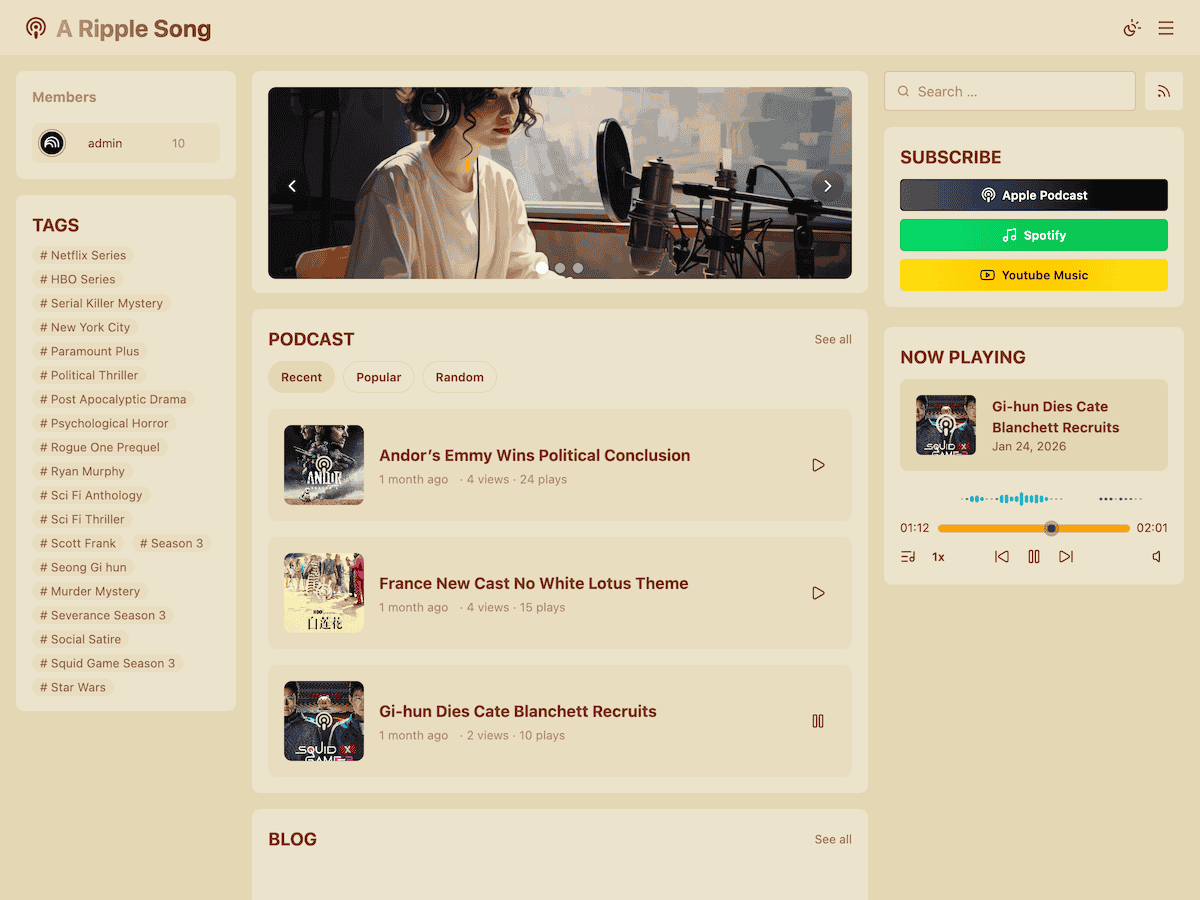
Demo
https://cn-podcast.aripplesong.me/
Installation
Install from the WordPress Theme Directory
- Go to Add Themes in the WordPress admin.
- Search for Daisy A Ripple Song in the theme search box.
- Find the Daisy A Ripple Song theme and click Install.
- After installation finishes, click Activate.
Install from a Theme Package
- Download the latest
daisy-a-ripple-song-podcast.zipfrom GitHub Releases, or downloaddaisy-a-ripple-song-podcast.zipfrom the WordPress Theme Directory. - In the WordPress admin, go to Add Themes, click Upload Theme, choose the zip file, and click Install Now.
- Click Activate.
Install from the Command Line
- Make sure WP-CLI is installed. If it is not installed yet, see https://wp-cli.org/.
- Go to the WordPress root directory and run:
sh
wp theme install daisy-a-ripple-songFeatures
- 56 polished theme color schemes, including 26 light themes and 26 dark themes.
- Internationalization support.
- Data tracking.
- Swup-based page transitions without full page reloads.
- Multiple widgets adapted to the theme style. Some features require the podcast plugin.
- Immersive audio player. Requires the podcast plugin.
Tech Stack
- Vite - Frontend development and build tool.
- Tailwind CSS - Utility-first CSS framework.
- daisyUI - Tailwind CSS component library.
- Alpine.js - Lightweight frontend interaction framework.
- Lucide - Open-source icon library.
- Simple Icons - Brand icon library.
- Swup - Page transition library without full page reloads.
- Howler.js - Audio playback library.
- audioMotion-analyzer - Audio spectrum visualization library.
- Carbon Fields - WordPress custom field framework.
- PHP-Scoper - PHP namespace isolation tool.