
Podcast Settings
These fields are mainly used for podcast RSS generation.
How to Open
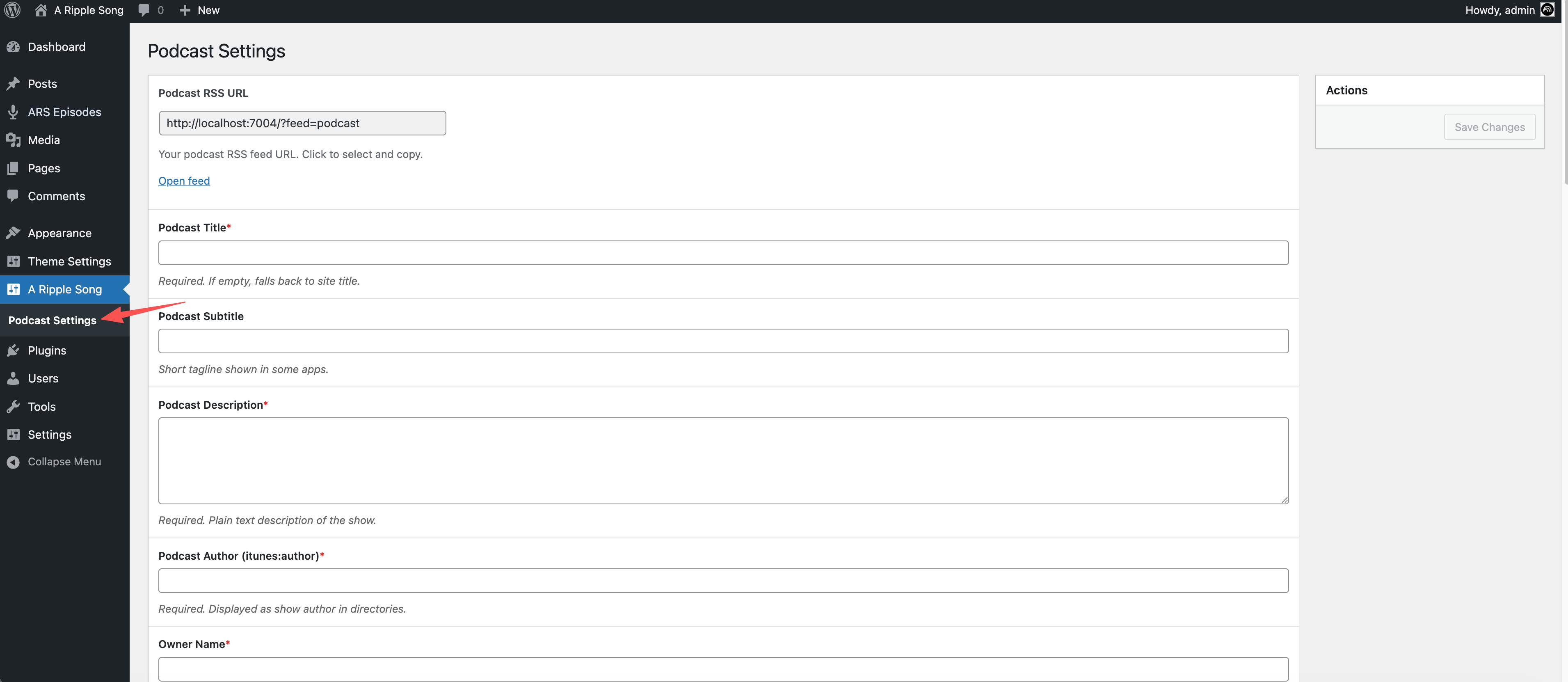
Field Reference
| Field | Description |
|---|---|
| Podcast RSS URL | Read-only HTML field showing the current podcast RSS URL. Click the input to select and copy it, then visit the copied URL to open the feed. |
| Podcast Title * | Required text field. Defaults to the site title; if empty, the RSS feed falls back to the site title. |
| Podcast Subtitle | Optional text field for a short podcast subtitle or tagline shown by some clients. |
| Podcast Description * | Required textarea. Defaults to the site description. Enter a plain-text show description; it is output to RSS description and itunes:summary. |
Podcast Author (itunes:author) * | Required text field. Defaults to the site title and is shown as the podcast author or producer in directories. |
| Owner Name * | Required text field. Defaults to the site title and is output to <itunes:owner><itunes:name>. |
| Owner Email * | Required email field. Defaults to the WordPress admin email and is output to <itunes:owner><itunes:email>. Use an inbox that can receive verification messages. |
| Podcast Cover (1400-3000px square) * | Required image media field. Must be JPG/PNG, square, 1400-3000px, and no larger than 512KB. The saved value is the media attachment ID and is used for itunes:image. |
| Default Explicit Flag * | Required select field. Choose clean (no explicit content) or explicit. Defaults to clean; episode fields can override it. |
| Language (RFC 5646) * | Required select field. Current options are en-US and zh-CN. Defaults to the WordPress site language, or en-US when no site language is set. |
| Primary Category (Apple Podcasts) * | Required select field containing (not set) and Apple Podcasts categories. Select at least one primary category. |
| Secondary Category (optional) | Optional select field containing (not set) and Apple Podcasts categories. Some directories support a second category. |
| Copyright (optional) | Optional text field. Copyright statement output to RSS <copyright>. |
iTunes Type (itunes:type) | Optional select field. Options: (not set), episodic, and serial. |
| iTunes Title (optional) | Optional text field. Use it only when the Apple Podcasts title should differ from the normal podcast title. |
iTunes Block (itunes:block) | Optional select field with no and yes. Defaults to no; yes hides the entire show from Apple Podcasts. |
iTunes Complete (itunes:complete) | Optional select field with no and yes. Defaults to no; yes indicates that the show is complete and will not be updated. |
iTunes New Feed URL (itunes:new-feed-url) | Optional URL field. Use it only when moving the show to a new RSS URL. |
podcast:locked | Optional select field with yes and no. Defaults to yes; yes is recommended to prevent unauthorized feed migration. |
podcast:locked owner (optional) | Optional email field used to verify ownership during Podcasting 2.0 feed migration. |
podcast:guid (optional) | Optional text field. Defaults to the site URL; if empty, the feed uses the site URL as the fallback GUID. |
| Apple Podcasts Verify Code | Optional text field used by Apple Podcasts to verify feed ownership. Output as podcast:txt purpose="applepodcastsverify". |
Podcasting 2.0 Funding Links (podcast:funding) | Optional compound field for multiple links. Each item contains a URL field (HTTPS is recommended) and a Label. If empty, no podcast:funding tags are generated. |
| Generator (optional) | Optional text field for RSS <generator> content. If empty, the tag is not generated. |
Notes
- Fields marked with * are required.