
Managing Podcasts
Add a Podcast
- Go to the Add Podcast page.
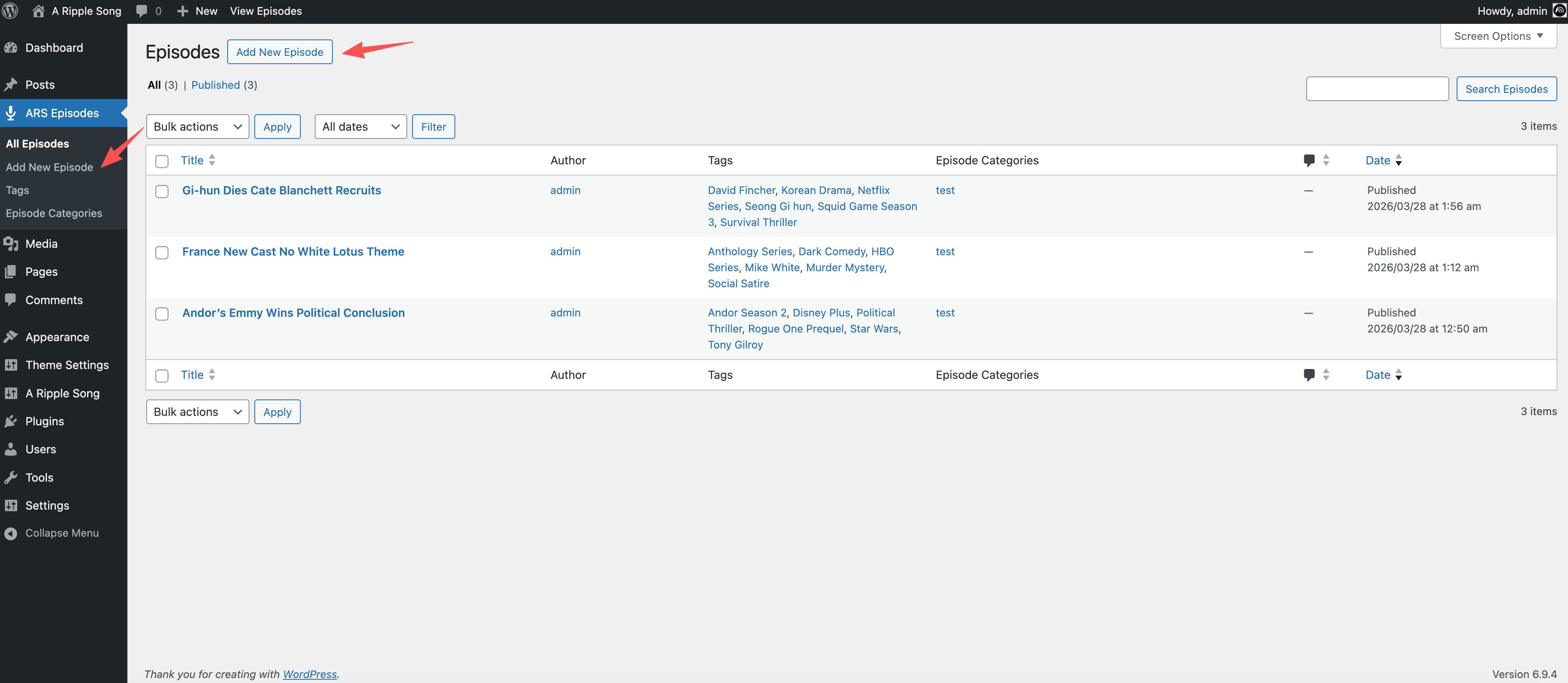
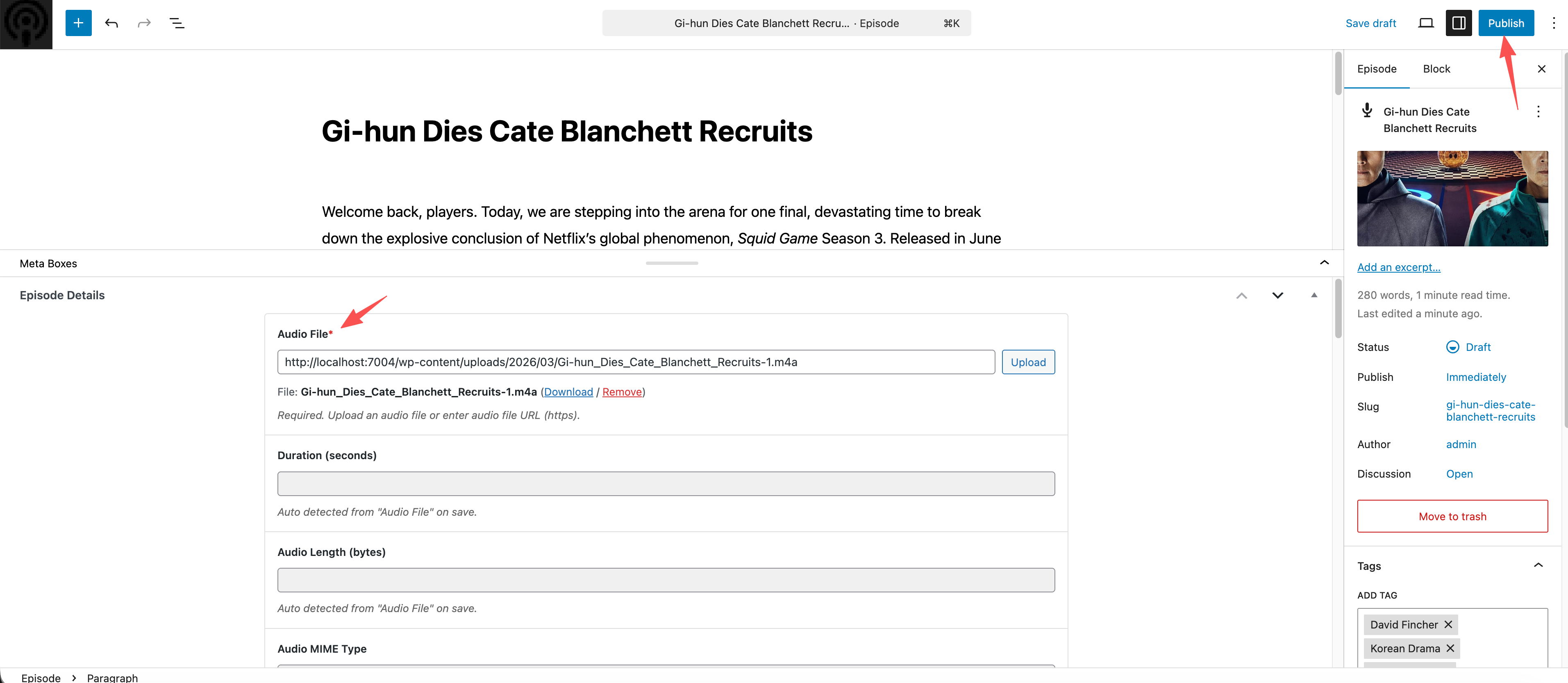
- Fill in the podcast information, upload the podcast audio file and image, then click Publish.
Edit a Podcast
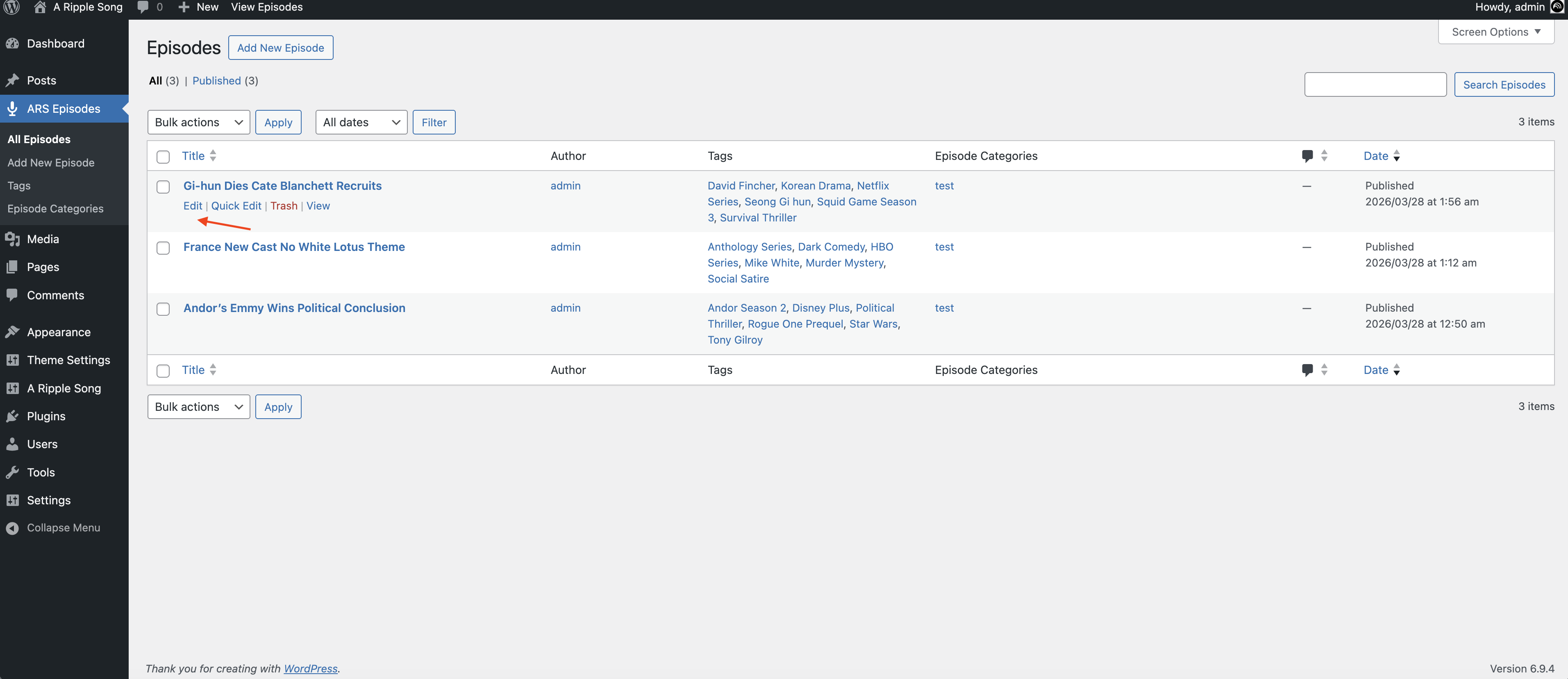
- Go to the Edit Podcast page.
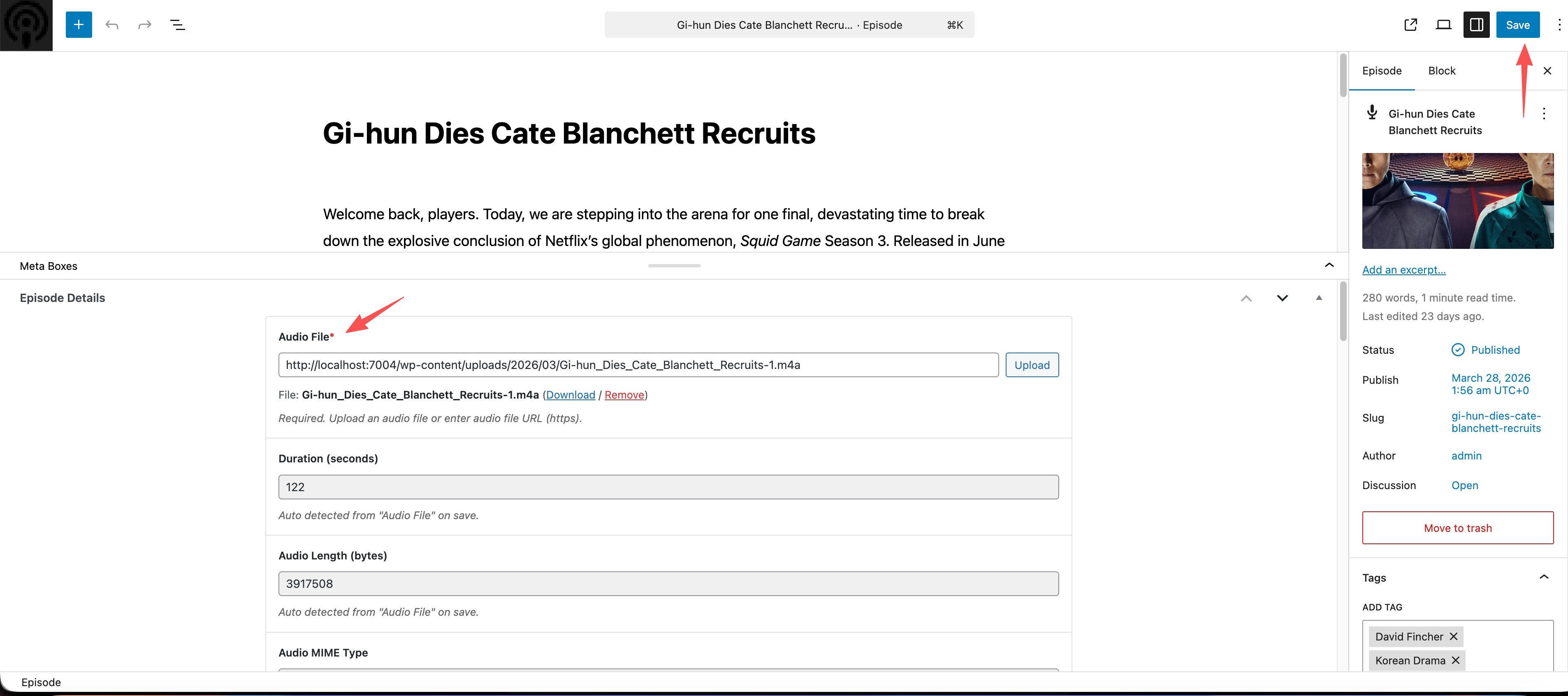
- Edit the podcast information, then click Save.
Field Reference
| Field | Description |
|---|---|
| Audio File * | Required audio media field. Select an audio file; the saved value is the media attachment ID. |
| Duration (seconds) | Read-only numeric field. Auto-detected from Audio File after saving. Unit: seconds. |
| Audio Length (bytes) | Read-only numeric field. Auto-detected from Audio File after saving. Unit: bytes. |
| Audio MIME Type | Read-only field. Auto-detected from Audio File after saving. Defaults to audio/mpeg. |
| Explicit * | Required. Choose clean (no explicit content) or explicit. Defaults to clean. |
| Episode Type | Choose full, trailer, or bonus. Defaults to full. The code help text marks this field as required, but the field is not configured with Carbon Fields set_required(true). |
| Episode Number | Optional but recommended. Number field with a minimum of 0; integer. |
| Season Number | Optional. Number field with a minimum of 0; integer. |
| Episode Author (override) | Optional. Overrides the channel author for this episode. If empty, the podcast author setting is used. |
| Episode Cover (square) | Optional image media field. A square image between 1400 and 3000px is recommended. The saved value is the media attachment ID and overrides the channel cover. |
| Transcript (optional) | Optional URL field (type=url). Enter a transcript file URL; supported formats include vtt, srt, txt, and pdf. |
| iTunes Title (optional) | Optional text field. Overrides the Apple Podcasts <itunes:title>. |
| Chapters (Podcasting 2.0) | Optional URL field (type=url). Enter a chapters JSON file URL for <podcast:chapters>. |
| Chapters MIME Type | Optional. Chapter file MIME type. Defaults to application/json+chapters. |
| Soundbites (Podcasting 2.0) | Optional compound field that can add one or more <podcast:soundbite> tags. Each item includes Start Time (seconds, minimum 0, step 0.01), Duration (seconds, minimum 0.01, step 0.01), and an optional Title. |
| Subtitle | Optional textarea for a short iTunes subtitle. |
| Summary | Optional textarea for a plain-text iTunes summary. |
| Custom GUID (optional) | Optional text field for a custom RSS GUID. If empty, the WordPress episode permalink is used. |
| iTunes Block | Optional select field with no and yes. Defaults to no; yes hides the episode from Apple Podcasts. |
| Members | Optional multiselect field containing users with the author role. Author-role users creating a new episode are selected by default, including themselves. |
| Guests | Optional multiselect field containing users with the subscriber role. |
Notes
- Fields marked with * use Carbon Fields
set_required(true)in the code. - The help text for Episode Type says it is required, but the field is not configured with
set_required(true); the RSS feed usesfullwhen it is empty.